This app starts from zero, so that every child who spends time with it can learn music notation. We have removed complexity and distraction to keep the focus entirely on the music.
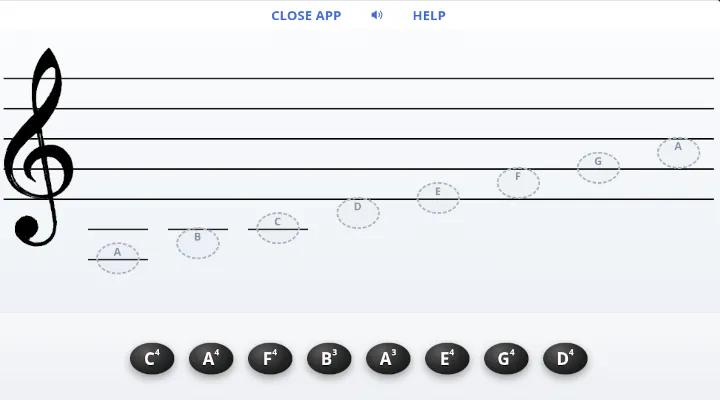
How to Use This App
When the app loads, a popup helps you get started. For children who are new to music notation, pick BEGIN for the first few sessions. For children who can already master the beginner level, the PRACTICE button is preferable.
The faint dashed circles on the staff mark where each note belongs. A note that lands in the wrong spot simply bounces back to the tray, ready to be tried again. There is no score and no race. There is nothing to fix, only the next try.
Practice
Keep the first few sessions short. Completing around 5 to 10 rounds in about 5 minutes is plenty.
- To start, complete one ordered round so the child sees the whole octave laid out in order.
- After solving 2 to 3 rounds, take a break for a minute or two and then start over with a fresh mind.
- Press on the treble clef to get a new round to solve.
The beginner level shows all notes sorted. The practice level is where reading actually begins, because the child has to recognize the spot instead of following it.
A word for mentors: Note Names is the first step in reading real music. It prepares the child for prePiano Three, where melodies are read on the staff, and it points the way toward the Scales app and the ear training that follows.